woonuxt
972
Stars
0
Forks
0
Watchers
0
Open Issues
未知
许可证
Vue
语言
创建时间
最近更新
项目能做什么
基于 WooCommerce 与 Nuxt 构建的静态化电商网站框架。
来源:基于仓库元数据
· 内容以仓库实际 README 为准
使用说明 查看原始 README 原仓库文档
中文使用说明暂未生成。下面保留原仓库 README 摘录,命令与配置均以原文为准。
原始 README 摘录(英文原文,节选前 3000 字符)
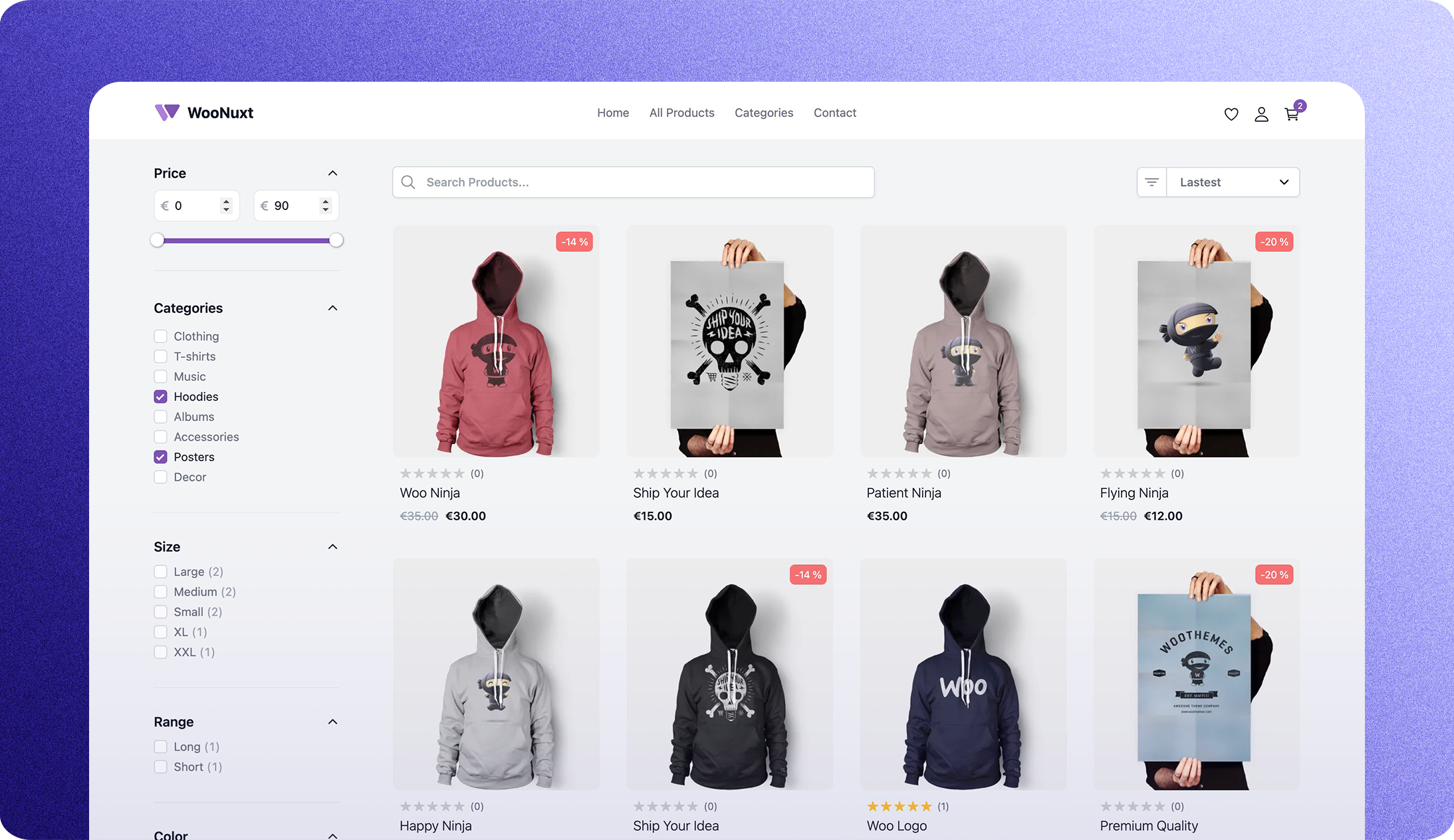 # Next Generation Front-End for WooCommerce ## Introduction WooNuxt is a modern, fast, and SEO-friendly front-end for WooCommerce. Built on Nuxt 4 and WPGraphQL, it supports both fully static deployment and hybrid ISR rendering for large catalogs. It is fully customizable and can be extended with custom components and modules. You can see a live demo below. The primary live demo is [demo.woonuxt.com](https://demo.woonuxt.com/). | Other live examples | URL | | ------------------- | ------------------------------ | | Vercel | https://woonuxt-v3.vercel.app/ | | NuxtHub | https://woo.nuxt.dev/ | | Customized store | https://myshop.woonuxt.com/ | ## Troubleshooting You can find some common errors and how to fix them [here](https://woonuxt.com/faq#some-common-errors-to-troubleshoot) **Symptom: HTML loads, but every `/_nuxt/*.js` and `/_nuxt/*.css` request returns 404.** The publish directory doesn't contain Nuxt's generated bundle — publish `.output/public` (not `dist`) with `npm run generate` as the build command. See [Static Deployment](#static-deployment) below. ## Get Started - Install the [Settings for WooNuxt](https://wordpress.org/plugins/settings-for-woonuxt/) plugin from the WordPress plugin directory (**Plugins > Add New**, search for "Settings for WooNuxt"). - Activate it, then go to **Settings > WooNuxt** to install the required plugins and configure your storefront. This will install all the required plugins for WooNuxt, add some useful fields to the WPGraphQL schema, and automatically retrieve the WooCommerce payment gateway settings for [Stripe](https://wordpress.org/plugins/woocommerce-gateway-stripe/) and [PayPal](https://woo.com/document/paypal-standard/). - Once the plugin is activated you are ready to deploy WooNuxt on whatever hosting you like or click one of the fast deploy buttons below. - Once the plugin is activated, configure `GQL_HOST` and `NUXT_IMAGE_DOMAINS`. Check out the `.env.example` file for details. [](https://app.netlify.com/start/deploy?repository=https://github.com/scottyzen/woonuxt) [](https://vercel.com/new/clone?repository-url=https%3A%2F%2Fgithub.com%2Fscottyzen%2Fwoonuxt&repository-name=WooNuxt&env=GQL_HOST,NUXT_IMAGE_DOMAINS) ### Deploy on Deplo Copy WooNuxt into your Git account and deploy the storefront on your own [Deplo](https://deplo.build) instance: [](https://deplo.build/deploy?repo=https://github.com/scottyzen/woonuxt) Requires Deplo 0.8.2 or later. Complete the WordPress setup above and set `GQL_HOST` and `NUXT_IMAGE_DOMAINS` in Deplo before deploying. See [`.env.example`](./.env.example) for the storefront阅读完整原文
商业机会分析 规则生成(AI 未配置)
综合评分 45.5 分。该项目在“个人可实施性”维度得 60 分,“付费可能性”维度得 20.0 分,差异化空间 70.0 分(评分依据见评分卡)。
面向细分需求的二次开发产品
| 产品构想 | 基于 woonuxt 的核心能力,聚焦一个更窄的场景(如某平台、某行业)做差异化。 |
| 目标用户 | 该细分场景用户 |
| 难度/周期 | 中 · 2~6 周 |
| 收费模式 | 买断制 / 订阅制 / 广告 |
| 竞争风险 | 细分需求规模需验证 |
| 依据 | AI 推测:基于项目主题标签的判断 |
以上为规则引擎基于仓库公开数据生成的参考结论,包含推测成分,不构成投资或创业承诺;配置 AI 后可获得更深入的分析。
报告会保存到 个人中心
竞品与相似项目 GitHub Search 真实检索
| 项目 | 中文简介 | Stars | 语言 |
|---|---|---|---|
| scottyzen/woonuxt-settings | 中文介绍暂未生成 WordPress plugin to help setup WooNuxt |
26 | PHP |
| scottyzen/woonuxt-setting-module | 中文介绍暂未生成 | 3 | TypeScript |
| vernaillen/woonuxt-wpnuxt-test | 中文介绍暂未生成 WooNuxt + WPNuxt test |
1 | Vue |
| fabdao/docker-woonuxt | 中文介绍暂未生成 Local DEV env : Docker + Woonuxt |
1 | Vue |
| marceloeatworld/woonuxt | 中文介绍暂未生成 | 1 | - |
| Amir-Rakib/woonuxt | 中文介绍暂未生成 | 1 | Vue |
以上为通过 GitHub 官方 Search API 检索的相似项目,功能差异与优劣势需进一步人工确认,配置 AI 后可生成对比分析。
项目优势与风险
| 技术成熟度 | 创建于 ,最近推送 ,发布过 49 个 Release |
| 社区活跃 | Star 972 / Fork 0 / Issue 0(数据支持,可自行核实) |
| 许可证 | 未检测到(需人工确认) |
| 主要风险 | 上游项目方向可能变化;同赛道竞争者较多(见竞品表);热度与需求不完全等价 |
安装与使用
快速开始(以仓库 README 为准)
git clone https://github.com/scottyzen/woonuxt.git
cd woonuxt
# 请阅读仓库 README 获取确切安装步骤(依赖、配置、启动命令)
术语说明:Docker=应用容器(把程序和依赖打包运行);API Key=调用外部服务的密钥;Git Clone=把仓库代码下载到本地。常见错误:API Key 未配置 / 端口占用 / 数据库连接失败,多数项目在 README 的 Troubleshooting 章节有说明。